
Why Custom Fields Changed Everything for Our Agency
Let me tell you about something that sounds boring but actually made a huge difference in how we run our agency. Custom fields. I know, I know, it doesn’t sound exciting. But stick with me here.
If you’ve ever managed projects at an agency, you know the struggle. You’ve got clients breathing down your neck, deadlines everywhere, and about a million little details that don’t fit into the standard “Task Name” and “Due Date” boxes that most tools give you. We used to juggle spreadsheets, sticky notes, and random documents just to keep track of everything. It was a mess.
That’s exactly why we built custom fields into Worklenz. And honestly? It’s made all the difference.
The Problem Most Agencies Face
Here’s the thing about agency work; it’s complicated. Every client is different. Every project has its own quirks. But most project management tools treat everything the same way.
Need to track which stage of approval a design is in? Better add it to the task description. Want to know your budget status? Hope you remembered to update that spreadsheet. Trying to figure out who signed off on something? Good luck finding that email from three weeks ago.
We’ve all been there. And it’s exhausting.
A recent survey found that 78% of successful companies say customizable tools are critical to how they work. For agencies especially, where one missed detail can cost you a client, this stuff really matters.
What Worklenz Actually Does
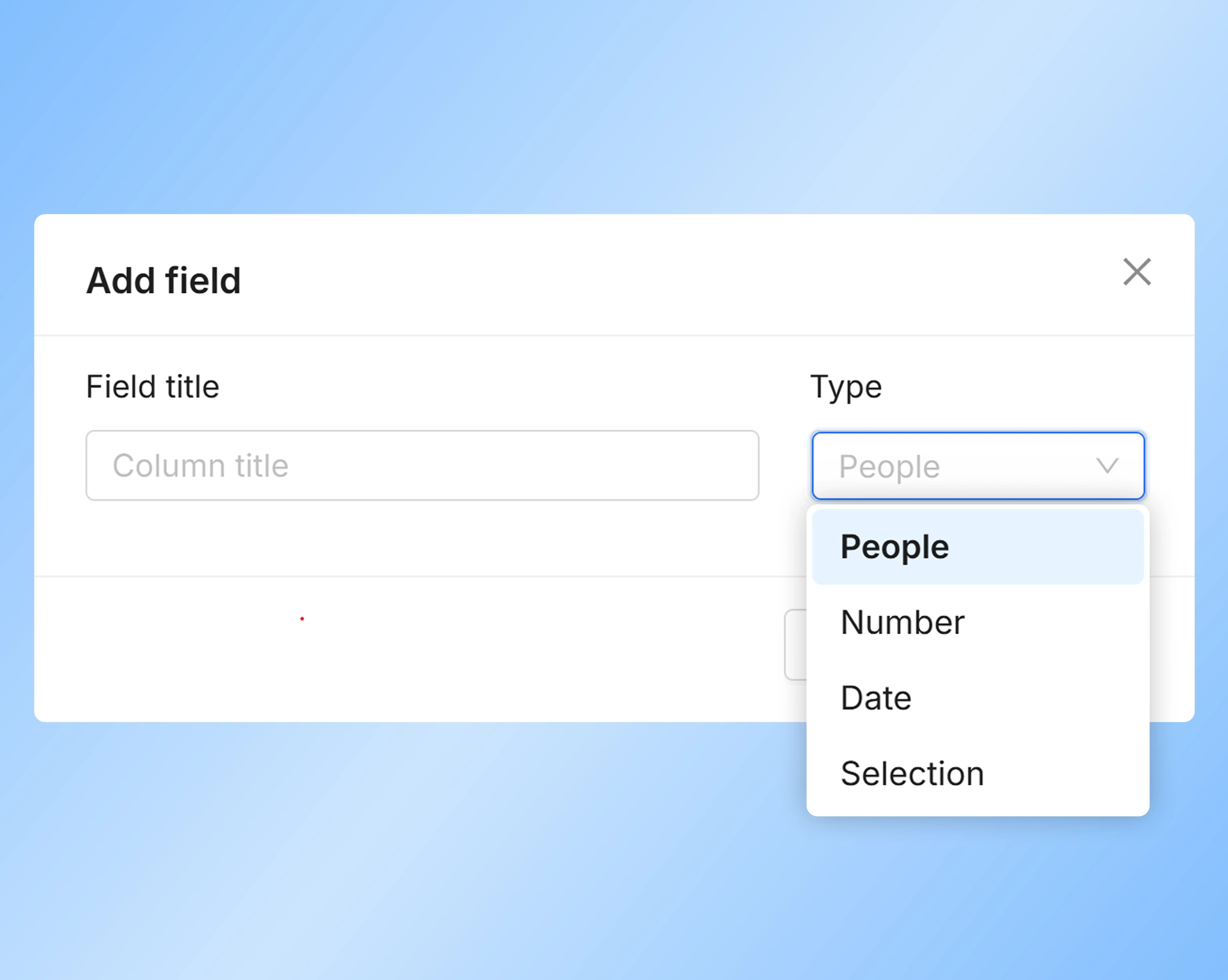
Worklenz gives you four types of custom fields that you can add to any project or task. They’re dead simple to set up, no coding, no IT help needed. Just click “Add Custom Column” pick your type, and you’re good to go.
Let me break down the four types:
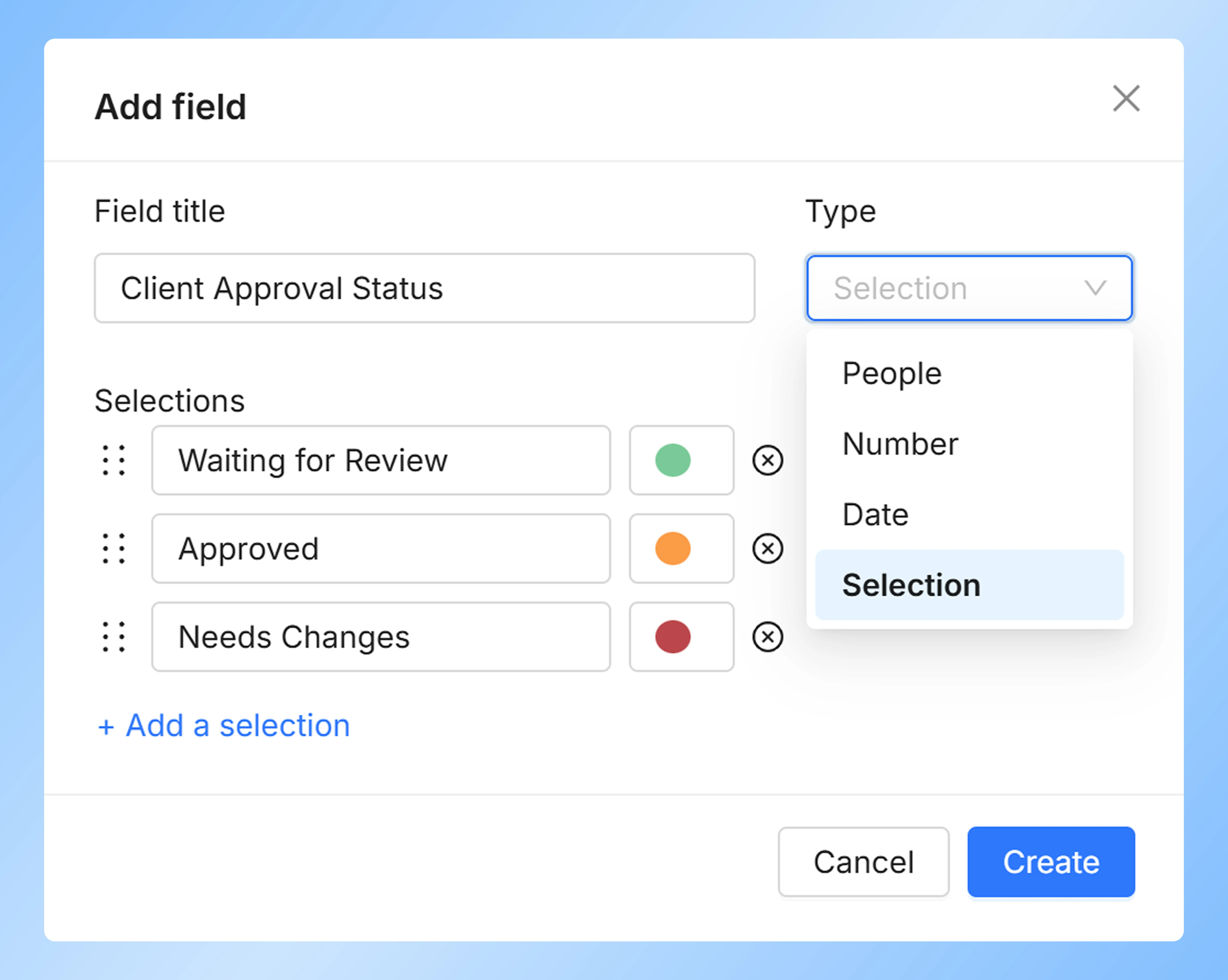
1. Selection Fields (The Dropdown Hero)
These are basically dropdown menus you create yourself. Pick from your own list of options, add colors to them, done.
Real example from our team: We created a “Client Approval Status” field with options like “Waiting for Review,” “Approved,” “Needs Changes,” and “On Hold.” We color-coded them, green for approved, orange for on hold, red for needs changes.
Last month, we had a $50K social media campaign with a tight deadline. Our designer could see instantly which posts were approved and which needed work. No Slack messages asking “Hey, did the client approve this?” No confusion. Just a quick glance at the color-coded field and everyone knew what to do.
For smaller shops, this is just as useful. A freelance designer friend uses a “Client Feedback” field to prioritize which revisions to tackle first. Simple but effective.
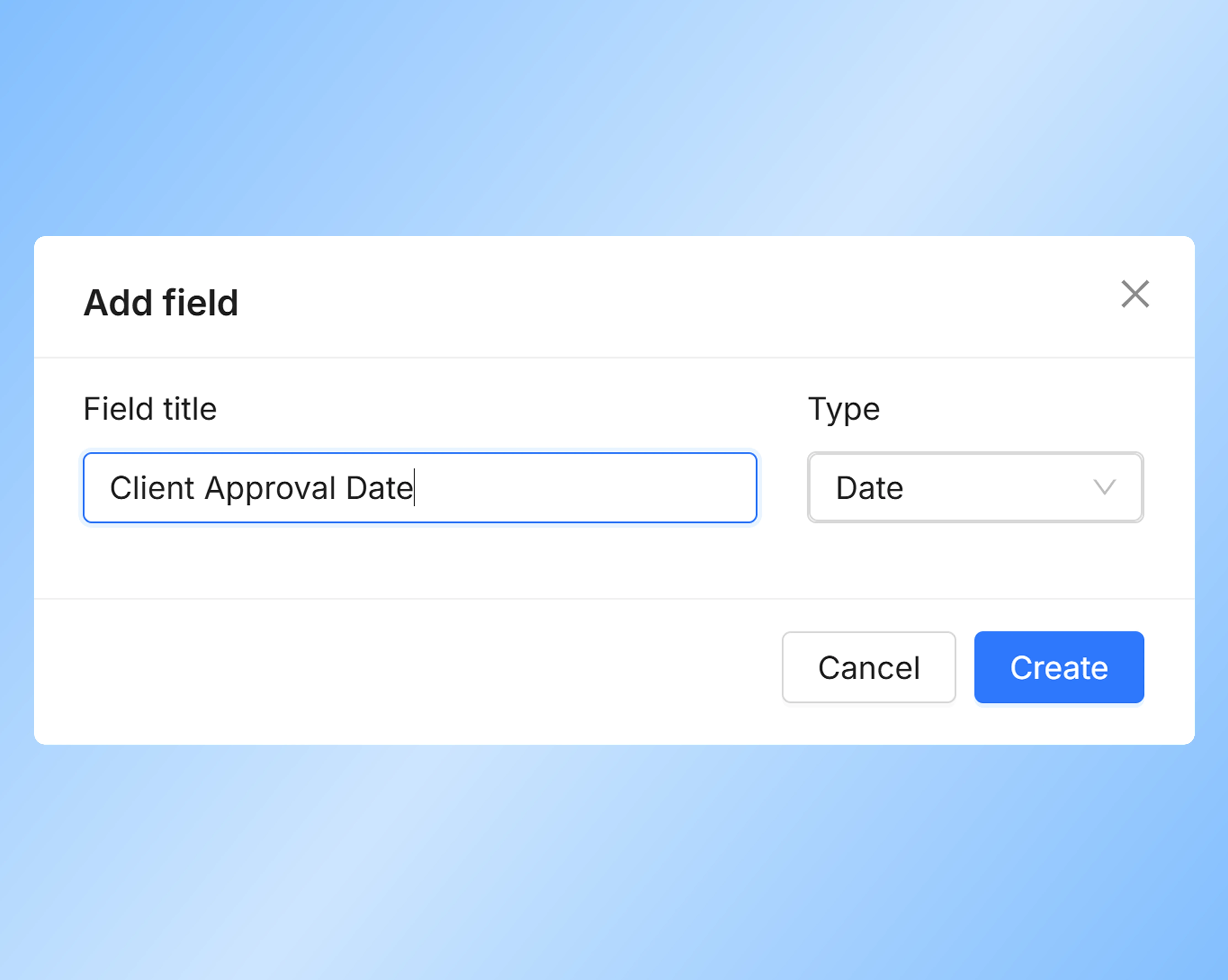
2. Date Fields (Never Miss a Deadline Again)
This one’s straightforward track any date you need. Deadlines, milestones, approval dates, whatever.
Real example from our team: We created a “Client Approval Date” field for a PR campaign. When a client approved something, we’d log the date right there. During one project with a tight press release schedule, we could quickly see which pieces had been approved and when. This helped us prioritize what to finalize first and kept everything moving smoothly.
Even if you’re working solo, this helps. Add a “Payment Received Date” field to track when clients actually pay you. Way better than digging through bank statements later.
3. Number Fields (For When You Need Actual Data)
This is where things get interesting for budget-conscious agencies (so, all of us).
You can track numbers in different formats:
- Regular numbers (like 1,000)
- Percentages (75%)
- Money (USD 100 or $100)
- Plain digits for calculations
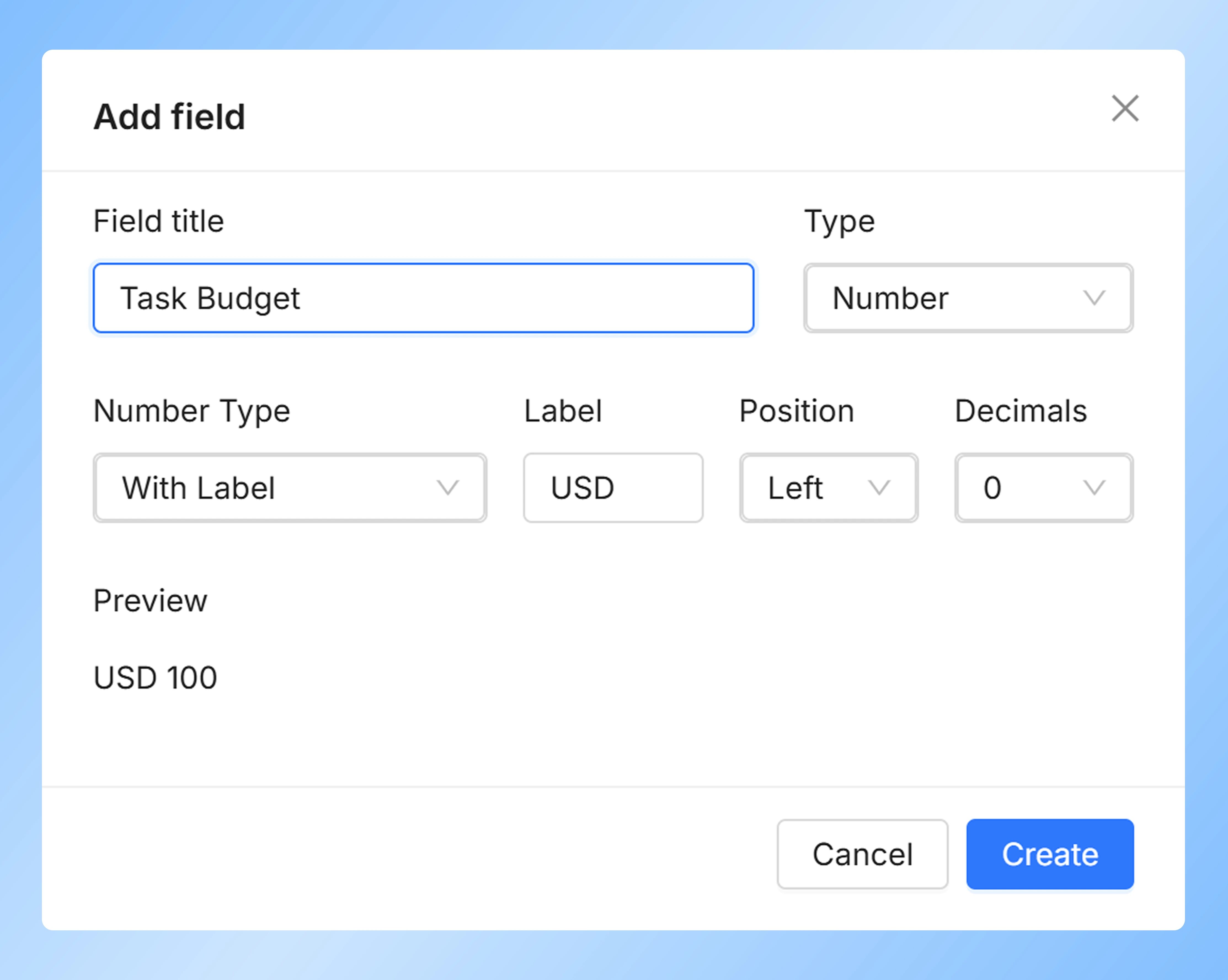
We add a “Task Budget” field to individual tasks on bigger projects. Recently on a website build, we noticed one feature’s development task had burned through $100 of its $1,000 budget with still more work to do. Seeing that number right there let us have a quick conversation with the client about adjusting the scope for that specific feature. Saved us from going over budget and having an awkward conversation later.
Content agencies can track word counts per article. Ad agencies can track hours spent per task. Development shops can track estimated versus actual time. Whatever metrics matter to you, you can track them at the task level where it actually matters.
4. People Fields (Actually Know Who’s Doing What)
This one links to actual people on your team or your clients.
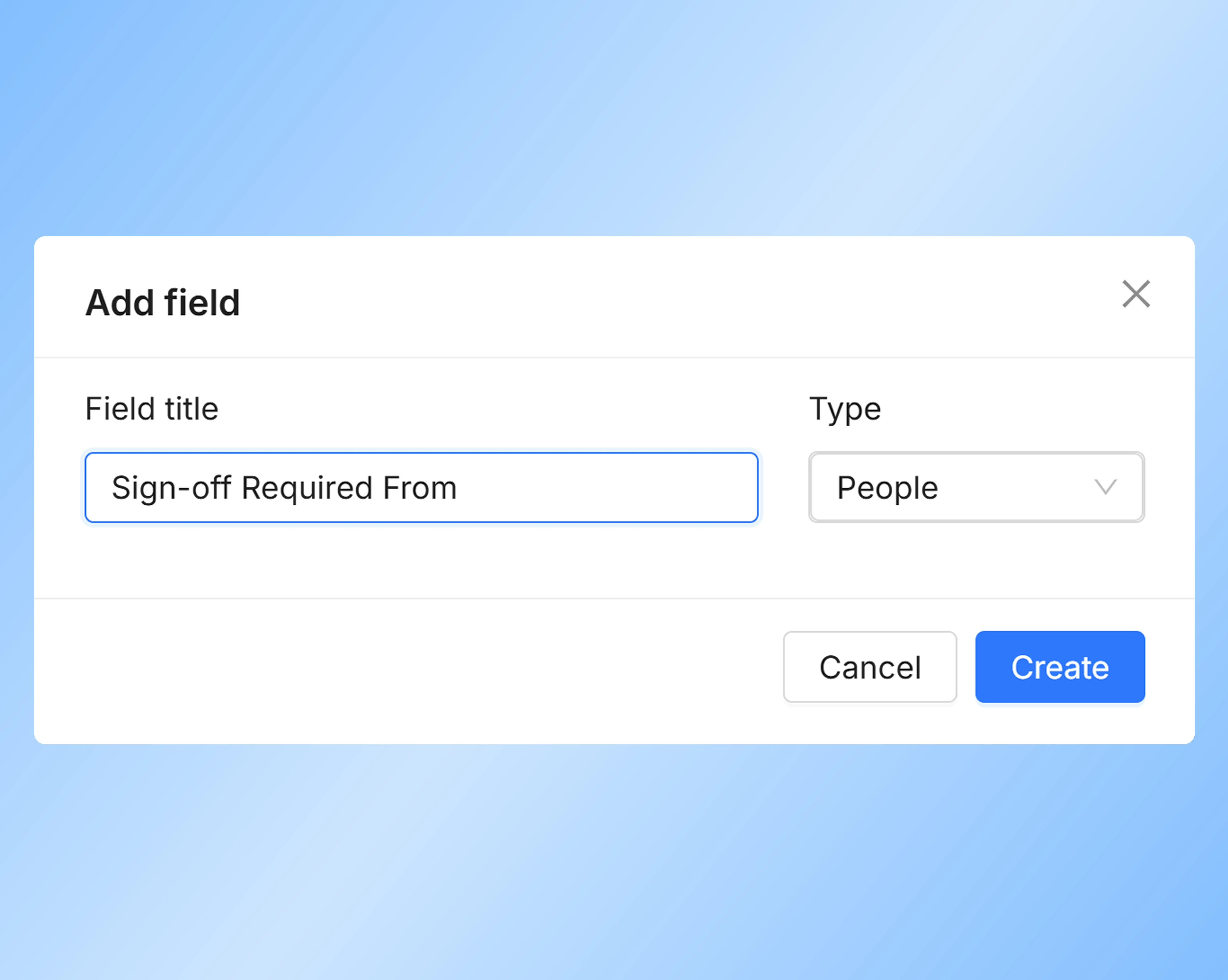
We have a “Sign-off Required From” field that we use for everything. On a recent rebranding project with a big client, this field made sure everyone from the art director to the client’s VP knew they needed to approve things. When someone was out sick, we could reassign it instantly. No dropped balls, no confusion.
Smaller teams use this for “Client Contact” fields just having the right person’s name right there when you need it makes communication so much smoother.
How This Actually Works in Real Life
Here’s a real scenario from last month:
We were redesigning a client’s website. We set up custom fields for each task:
- Selection field for page status (Draft, In Review, Client Approved, Ready to Launch)
- Date fields for content deadlines and design review dates
- Number field for hours budgeted per task
- People field for who’s responsible (designer, copywriter, developer)
Everything was in one place. When the client requested changes to three pages, we could instantly see which ones were already approved and which were still in draft. When our designer called in sick, we checked the People field and knew exactly which tasks needed to be reassigned. The budget tracking showed us one feature was eating up too many hours, so we flagged it early.
No meetings needed to figure out project status. No endless email chains asking “who’s working on what?” Just open the project, glance at the fields, and everyone knows exactly where things stand.
That’s the power of having your data organized the way YOUR agency actually works.
The Bottom Line
Custom fields sound like a small thing. But they’re not. They’re the difference between forcing your work into someone else’s system and having a system that actually fits how you work.
Worklenz makes this stupid easy. No technical knowledge needed. No complicated setup. Just add the fields you need and get back to doing actual work.
Whether you’re a one-person shop trying to stay organized or a big agency trying to coordinate dozens of people, this is the kind of feature that just makes sense. It won’t make your work more glamorous, but it will make it a whole lot easier.
And honestly? In agency life, easier is pretty much the best thing you can ask for.
Related Reading: